Placing Single Tasking Requests: SAR
Synthetic Aperture Radar (SAR) Access is a tasking and data delivery service available within existing Rapid Access platforms. SAR Access enables priority access to high-resolution SAR data for a wide variety of use cases including area of interest (AOI) monitoring, humanitarian aid and disaster relief (HADR), maritime security, battle damage assessment (BDA), and counter denial and deception (D&D).
SAR Access offers RAP customers the ability to task, receive, view, order, download, and disseminate SAR data within the same platforms they use to acquire and utilize Maxar optical imagery.
The Order New Collect wizard uses different parameters depending on whether you are placing a request for SAR tasking or EO tasking. You will select the tasking type you want to request on the first page of the wizard.
Select an area to use for your tasking request.
Areas Panel Next to the area you want to task, select the menu
 , then select Order New Collect (Single)
 .
.Viewport Right-click in any existing area (e.g., polygon, rectangle), then select Order New Collect.
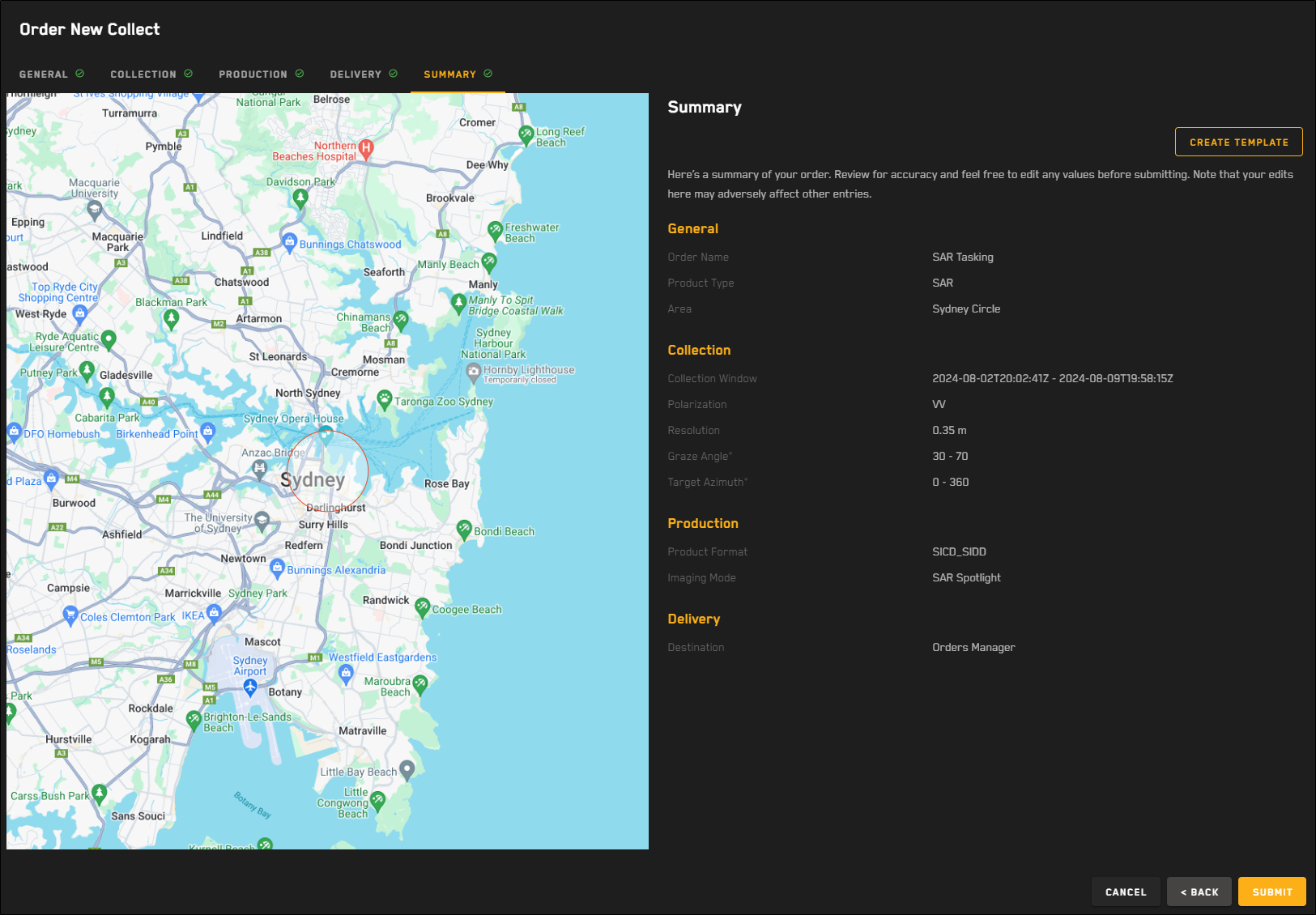
SAR requests must use an area with a 2.5 km radius circle around the center point of the area. If you place a SAR request using an area larger than this (e.g., using a square area), your area is automatically adjusted to match the SAR requirements.
Alternatively, you can create a new area using the 2.5 km radius circle area tool, which matches the requirements for SAR requests. This allows you to specify and see the exact area that is included in the SAR request. See Draw an Area Using a 2.5 km Radius Circle
The Order New Collect
Complete each
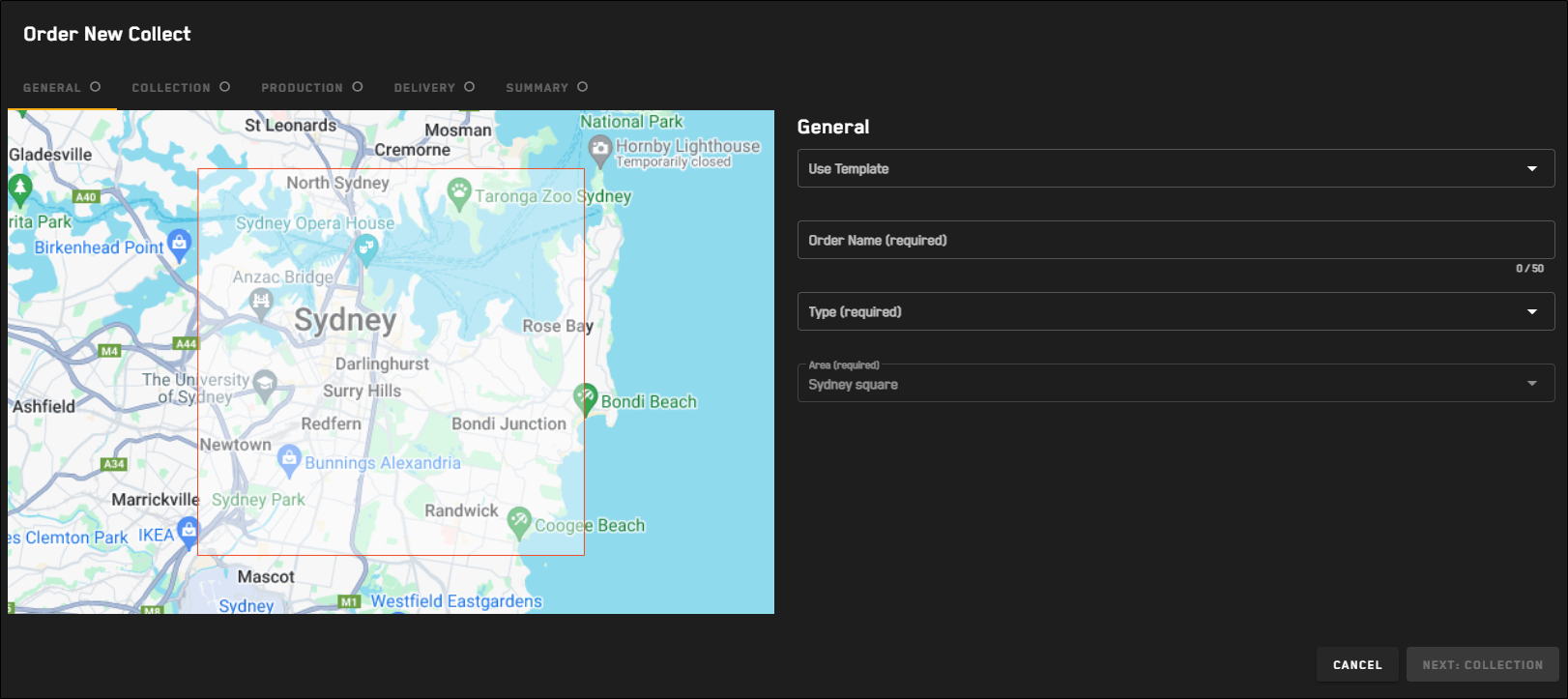
 General
Make basic selections for your tasking request.
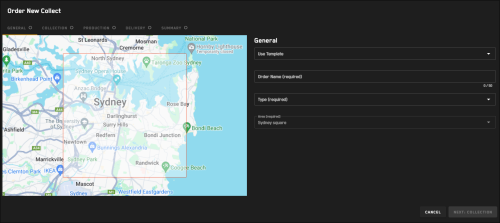
The General step for all tasking requests.
Select Next: Collection.
If you selected EO tasking, proceed to Placing Single Tasking Requests: EO.
Collection 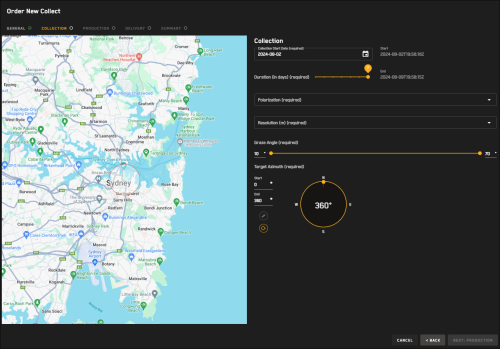
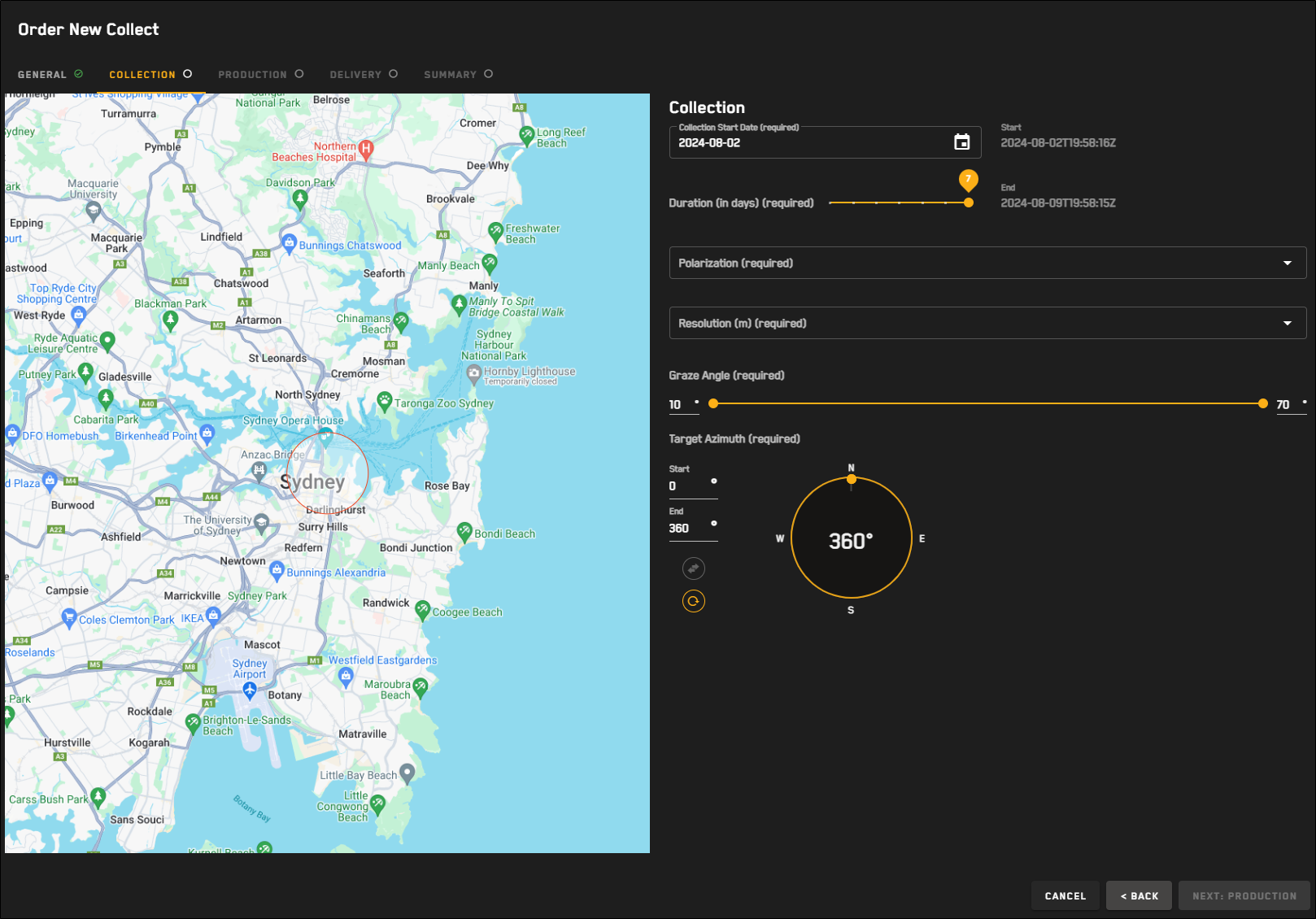
The Collection step for SAR tasking requests.
For each option, define your desired collection parameters.
Collection Start Date Use the calendar picker to set the collection start date. You can pick a date as early as today (plus 6 hours), or schedule the collection up to six days in advance.
Duration (In Days) Use the slider to select the duration of the collection. The calculated end date displays next to the slider.
The maximum collection length is seven days, including today. The minimum length is 24 hours.
The number of days you can select for the duration is dependent on the start date you selected.
For example:
If you selected today's date for the start date, you can select a duration of seven days.
If you selected a start date two days from now, you can set the duration for a maximum of five days.
Polarization Orientation of the plane in which transmitted electromagnetic waves oscillate. The first letter refers to the transmission orientation and the second letter refers to the reception orientation. H stands for horizontal, and V stands for vertical.
OptionsVV (default) Vertical transmission and vertical reception
HH Horizontal transmission and horizontal reception
For Umbra, HH has reduced collection feasibility than VV, due to satellite configuration.
Objects often differ in appearance in VV or HH, depending on their relative orientation to the SAR sensor.
Vertically oriented objects, like towers, are more easily distinguishable in VV imagery. Horizontally oriented objects, like fences and power lines, are more easily distinguishable in HH imagery. Wave returns tend to be reduced in HH over water, thereby improving ship detection.
Resolution The minimum distinguishable distance between two objects in an image. For SAR, this is defined by the radio frequency pulse's impulse response (IPR) at 3DB from the peak. It is roughly equivalent to electro-optical (EO) ground sample distance (GSD).
Your selection automatically adjusts the graze angle.
Graze Angle The angle between a local ground plane and a vector to the satellite at the scene center point, as projected onto an elevation-inflated ellipsoid.
The graze angle is automatically set when you select a resolution. This range maximizes access opportunities while maintaining good image quality. However, you can adjust the value using the double-ended slider.
High graze angles will result in higher quality images, larger layover effects, and fewer access opportunities. Low graze angles will result in lower quality imagery and larger shadowing effects, but more collection opportunities.
To maintain the quality of your product, we recommend only increasing the minimum graze angle or decreasing the maximum graze angle.
Target Azimuth (0° – 360°) The allowable range of the azimuth of the target. Azimuth is measured from north in clockwise degrees.
In the Start and End fields, enter your desired values, or drag the double-ended slider along the compass to set the values.
To swap the Start and End values, select
 .
.To reset the Start and End values, select
 .
.
Select Next: Production.
Production 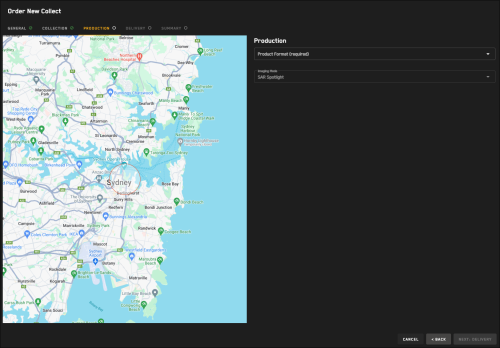
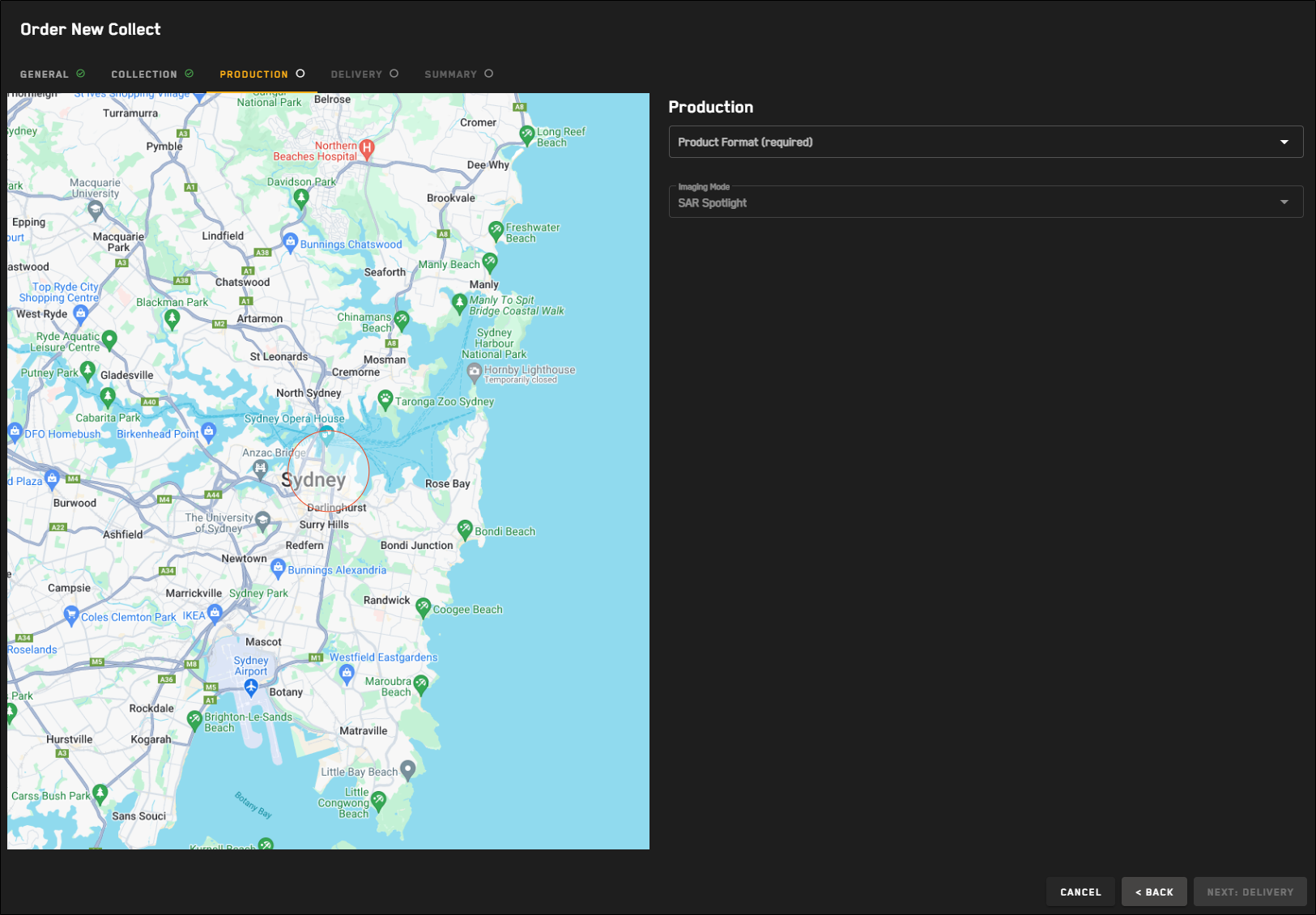
The Production step for SAR tasking requests.
For each option, define your desired production parameters.
Product Format A single-look complex image in Sensor-Independent Complex Data (SICD) NITF format will be provided to enable detailed analysis and derived products. Two options are available for the ground projected detected image: Sensor-Independent Detected Data (SIDD) NITF or Ground Range Detected (GRD) TFF. SICD and SIDD are US National Geospatial Agency (NGA) format specifications.
Imaging Mode The imaging mode is automatically set to SAR Spotlight. Spotlight imaging is conducted by pointing the SAR sensor at the selected scene center point for the duration of the imaging operation. This results in a high-resolution image of the area around that point. Spotlight is the only Umbra collection mode currently supported in this system.
Select Next: Delivery.
Delivery 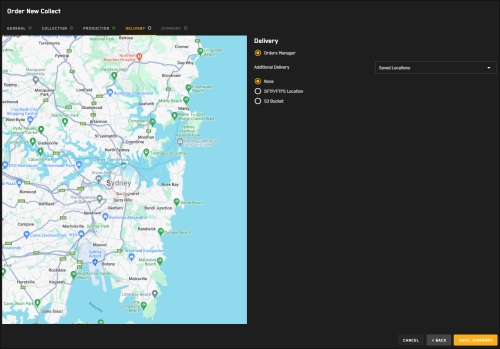
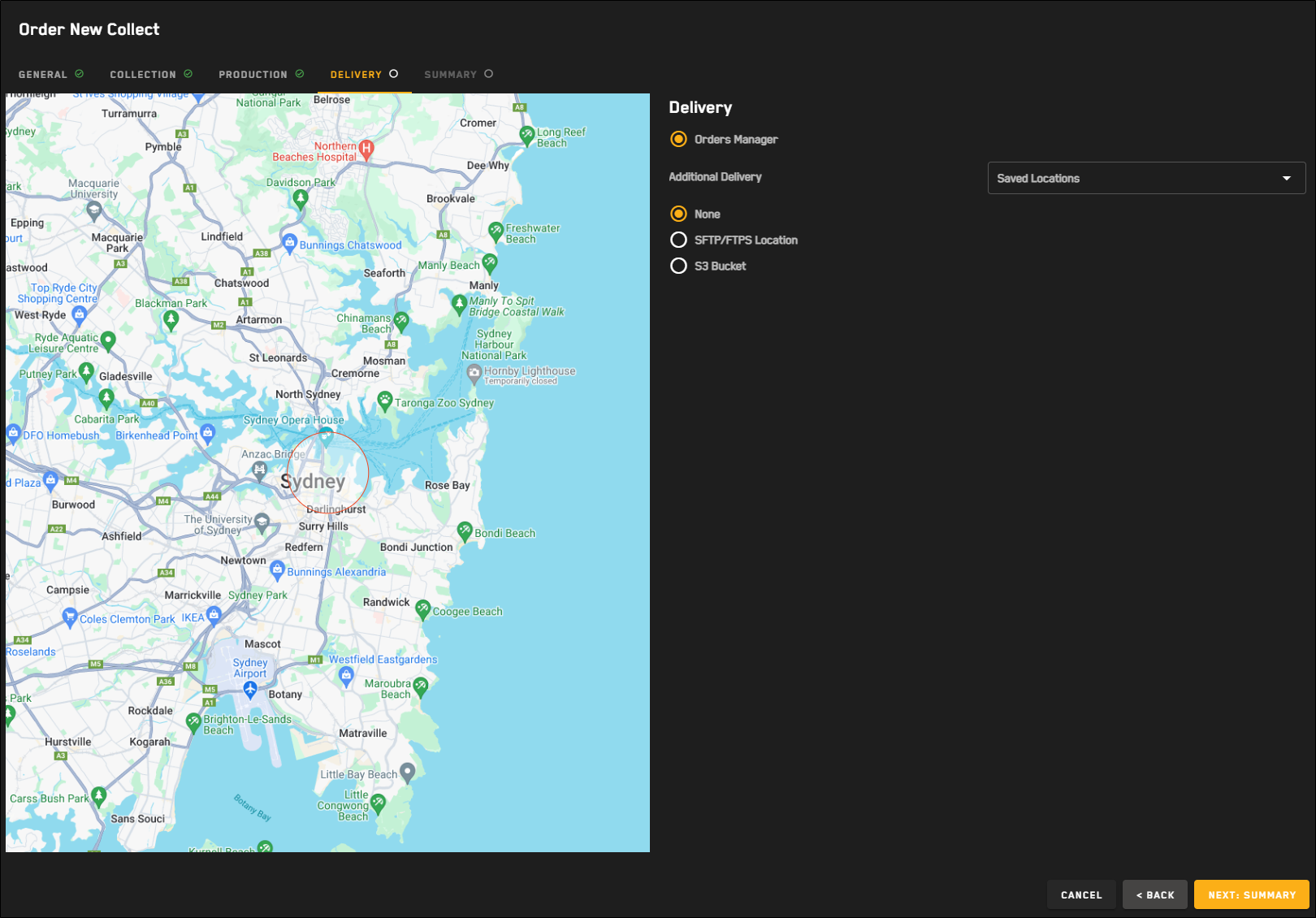
The Delivery step for SAR tasking requests.
In the Destination section, review the delivery parameters. Delivery parameters are automatically selected based on the tasking format you selected and cannot be changed.
(Optional) In the Additional Delivery section, select an additional file transfer location for delivery of the tasked imagery.
Options None (Default)
STFP/FTPS Location
(Optional) If you want to use a previously saved location for the order, select it from the Saved Locations drop-down.
Select your protocol, then enter your credentials, host, port, and directory.
To verify the connection, select Test Connection.
A successful connection test is required to save the location and to
(Optional) To save the location to use again later, select Save as Location. The location is added to the Saved Locations drop-down.
S3 Bucket
(Optional) If you want to use a previously saved location for the order, select it from the Saved Locations drop-down.
Enter your S3 bucket, folder, region, access key, and secret access key.
To verify the connection, select Test Connection.
A successful connection test is required to save the location and to
(Optional) To save the location to use again later, select Save as Location. The location is added to the Saved Locations drop-down.
Select Next: Summary.
Summary 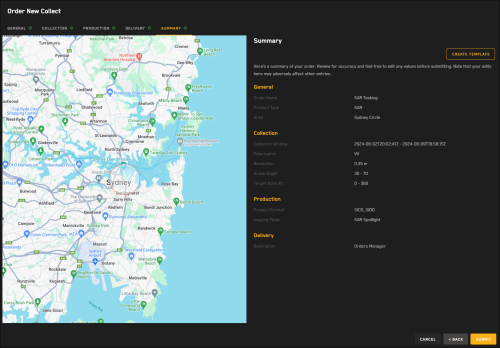
The Summary step for SAR tasking requests.
A summary of your order displays the parameters you selected for your tasking request.
Do one of the following:
Place the Request Select Submit. A confirmation appears.
Make Changes Select Back.
Making changes may affect parameters on multiple pages of the tasking wizard. Be sure to check each page for any updates before you submit your request.
If you want to save your tasking request as a template to use later, select Create Template. See Using Tasking Templates.