Placing Single Tasking Requests: EO
Electro-optical (EO) satellite imagery provides foundational context and visualization of ground conditions, empowering organizations to make critical, time-sensitive decisions. This multispectral imagery—including shortwave infrared—allows you to classify vegetation health, categorize man-made and natural material, penetrate smoke, detect fire, map minerals and more.
Maxar Intelligence was the first company to deliver native 30 cm resolution and derived 15 cm high-definition (HD) imagery, providing clearer, richer images that empower better decision-making through improved situational awareness. Our advanced accuracy technology ensures content from Maxar is as closely aligned as possible to a known coordinate on Earth. The average positional accuracy of our imagery is less than 5 m CE90.
The Order New Collect wizard uses different parameters depending on whether you are placing a request for SAR tasking or EO tasking. You will select the tasking type you want to request on the first page of the wizard.
Select an area to use for your tasking request.
Areas Panel Next to the area you want to task, select the menu
 , then select Order New Collect (Single)
 .
.Viewport Right-click in any existing area (e.g., polygon, rectangle), then select Order New Collect.
When placing an EO request, your area must be between 25 and 1000 sq km. If you select an area larger than 1000 sq km, you will receive an error.
The Order New Collect
Complete each
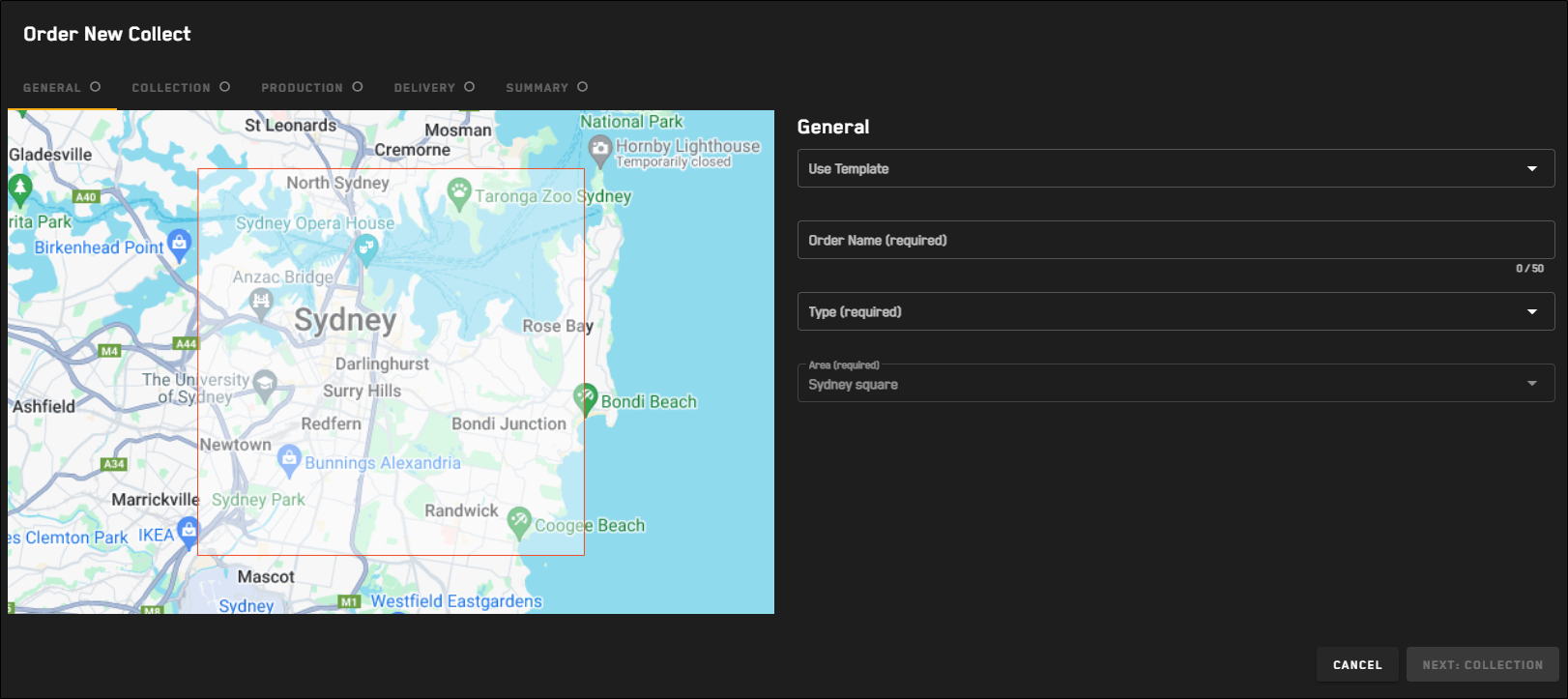
 General
Make basic selections for your tasking request.
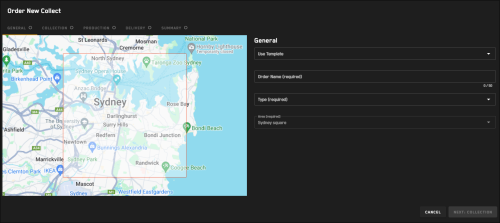
The General step for all tasking requests.
Select Next: Collection.
If you selected SAR tasking, proceed to Placing Single Tasking Requests: SAR.
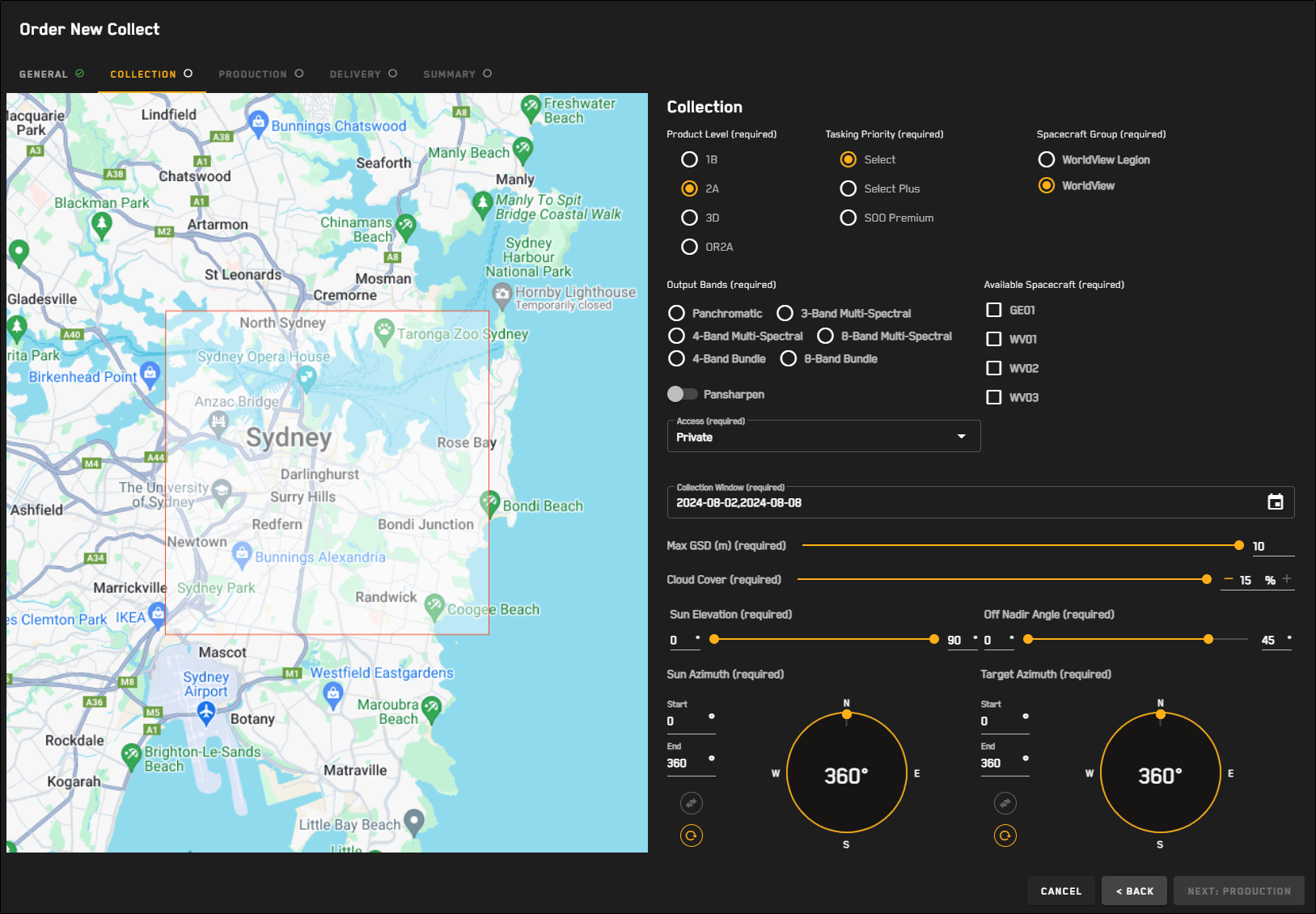
Collection 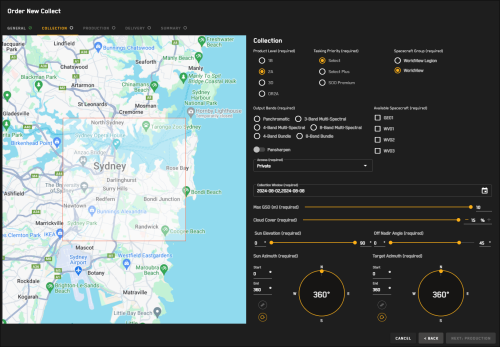
The Collection step for EO tasking requests.
For each option, define your desired collection parameters.
Tasking Priority Select your desired tasking priority.
OptionsSelect Entry-level tasking that offers flexibility for partners to set their own collection window. Applicable to the entire Maxar constellation.
Select Plus A higher level of service than offered for Select tasking. Partners will see shorter collection windows for Select Plus tasking (as opposed to Select tasking) in areas of higher competition. Applicable to the entire Maxar constellation.
Sensor-on-Orbit (SOO) Premium The highest priority level available from MGP Rapid Access. SOO Premium orders will be collected at the next available opportunity. Since SOO Premium orders collect an AOI on demanding time constraints, no cloud cover protection is offered for this priority level. Applicable to WorldView-1, WorldView-2, and WorldView-3.
Spacecraft Group The spacecraft group for the image collection.
OptionsWorldView Legion Use WorldView Legion sensors for imagery collection.
WorldView Use WorldView or GeoEye sensors (i.e., GeoEye-1, WorldView-1, WorldView-2, WorldView-3), for imagery collection.
Output Bands The imagery band(s) for the image collection.
OptionsPanchromatic(Pansharpening off)
4-Band Bundle(Pansharpening off)
8-Band Bundle(Pansharpening off)
3-Band Multi-Spectral(Pansharpening on)
4-Band Multi-Spectral(Pansharpening on by default; can be toggled off)
8-Band Multi-Spectral(Pansharpening on by default; can be toggled off)
Available Spacecraft The sensor(s) to use for the collect. Available spacecraft are dependent on your Spacecraft Group selection.
Available spacecraft are automatically selected when you select output bands. However, you can remove default selections.
WorldView Legion Spacecraft Group*All spacecraft selections are optional and can be removed or changed. LG01
LG02
Panchromatic 
4-Band Bundle 8-Band Bundle 3-Band Multi-Spectral 4-Band Multi-Spectral 8-Band Multi-Spectral WorldView Spacecraft Group*All spacecraft selections are optional and can be removed or changed. GE01
WV01
WV02
WV03
Panchromatic 4-Band Bundle 
8-Band Bundle 3-Band Multi-Spectral 4-Band Multi-Spectral 8-Band Multi-Spectral Access Select whether the collect should be public or private.
Collection Window Use the calendar picker to select the collection window.
OptionsSelect and Select Plus Customer-selected up to 365 days in advance, or Maxar-suggested
The collection window defaults to a 7-day window, starting today.
Sensor-on-Orbit (SOO) Premium Customer-selected with a 1–14 day window
Max GSD (m) The maximum ground sample distance for the collect.
Cloud Cover The maximum cloud cover percentage.
Cloud cover is automatically set when you select a tasking priority.
Select and Select Plus Adjustable cloud cover with default maximum 15% coverage
SOO Premium Fixed maximum cloud cover of 100%
Sun Elevation (0° – 90°) Use the double-ended slider to set the allowable range, in degrees, of the sun elevation angle.
Sun Azimuth (0° – 360°) The allowable range of the allowable range for the sun's relative position along the horizon. Azimuth is measured from north in clockwise degrees.
In the Start and End fields, enter your desired values, or drag the double-ended slider along the compass to set the values.
To swap the Start and End values, select
 .
.To reset the Start and End values, select
 .
.Off Nadir Angle (0° – 55°) Use the double-ended slider to set the allowable range, in degrees, for the angle of the satellite in relation to its target.
Target Azimuth (0° – 360°) The allowable range of the azimuth of the target. Azimuth is measured from north in clockwise degrees.
In the Start and End fields, enter your desired values, or drag the double-ended slider along the compass to set the values.
To swap the Start and End values, select
.To reset the Start and End values, select
.
Select Next: Production.
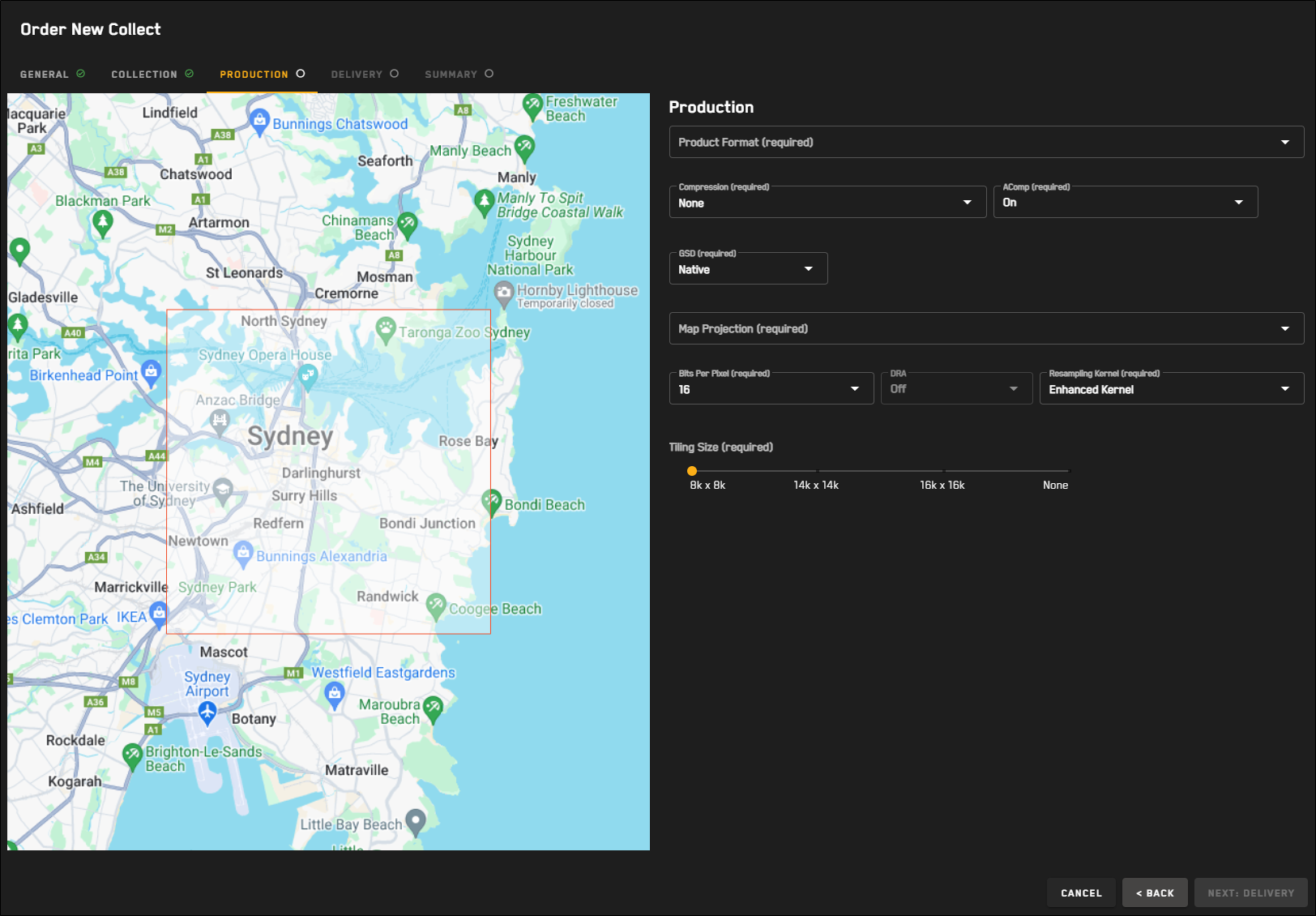
Production 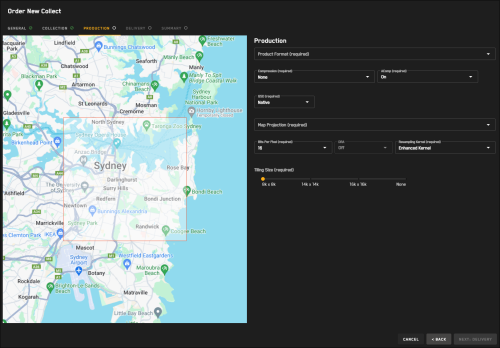
The Production step for EO tasking requests.
For each option, define your desired production parameters.
Parameters—including some default settings—on this page are determined by your selections on the Collections page of the wizard. If something seems to be incorrect or missing, select the Back button to review your selections on the Collections page.
Product Format The output format for image delivery.
OptionsGeoTIFF
NITF 2.1
NITF 2.1 NCDRD
Compression The compression option for packaging files.
OptionsDeflate
LZW
NPJE
None
ACOMP (Default: Off) Select whether to apply AComp to the collected imagery. Maxar's Atmospheric Compensation (AComp) algorithm provides an estimate of the surface spectral reflectance as it would be measured at ground level in the absence of atmospheric scattering or absorption. By compensating for atmospheric conditions such as haze and water vapor, AComp allows for accurate imagery analysis and supports feature extraction applications.
GSD The ground sample distance.
OptionsNative Use the image's native GSD.
Custom In the field, enter your requested ground sample distance (max 10 m).
Map Projection The projection type, which defines how satellite imagery is mapped to the earth.
Bits Per Pixel Bits per pixel, or bit depth, defines the number of bits used to describe the number of tones represented for a given pixel. The greater the bit depth, the greater the number of tones (grayscale or color) that can be represented. For example, 8 bits per pixel allows 256 tones for each pixel, while 16 bits per pixel allows 2,048 tones for each pixel.
Options8 (Default if DRA is on)
16 (Default if DRA is off)
DRA Dynamic Range Adjustment (DRA) will automatically adjust the color and contrast of the output image to form a more aesthetically pleasing image.
Resampling Kernel The image processing method.
Options2x2 Bilinear
4x4 Cubic Convolution
Enhanced Kernel
Modulation Transfer Function
Nearest Neighbor
Tiling Size The tile width by height (i.e. row x column) in pixels, used to split the image into more manageable pieces. Tiling allows image processing, GIS, and cartographic applications to open files that would otherwise be too large to open.
Options8k x 8k
14k x 14k
16k x 16k
None
Tiling will not occur if the product is less than 2GB.
Tiling is an option for all products except System-Ready (1B) imagery.
Select Next: Delivery.
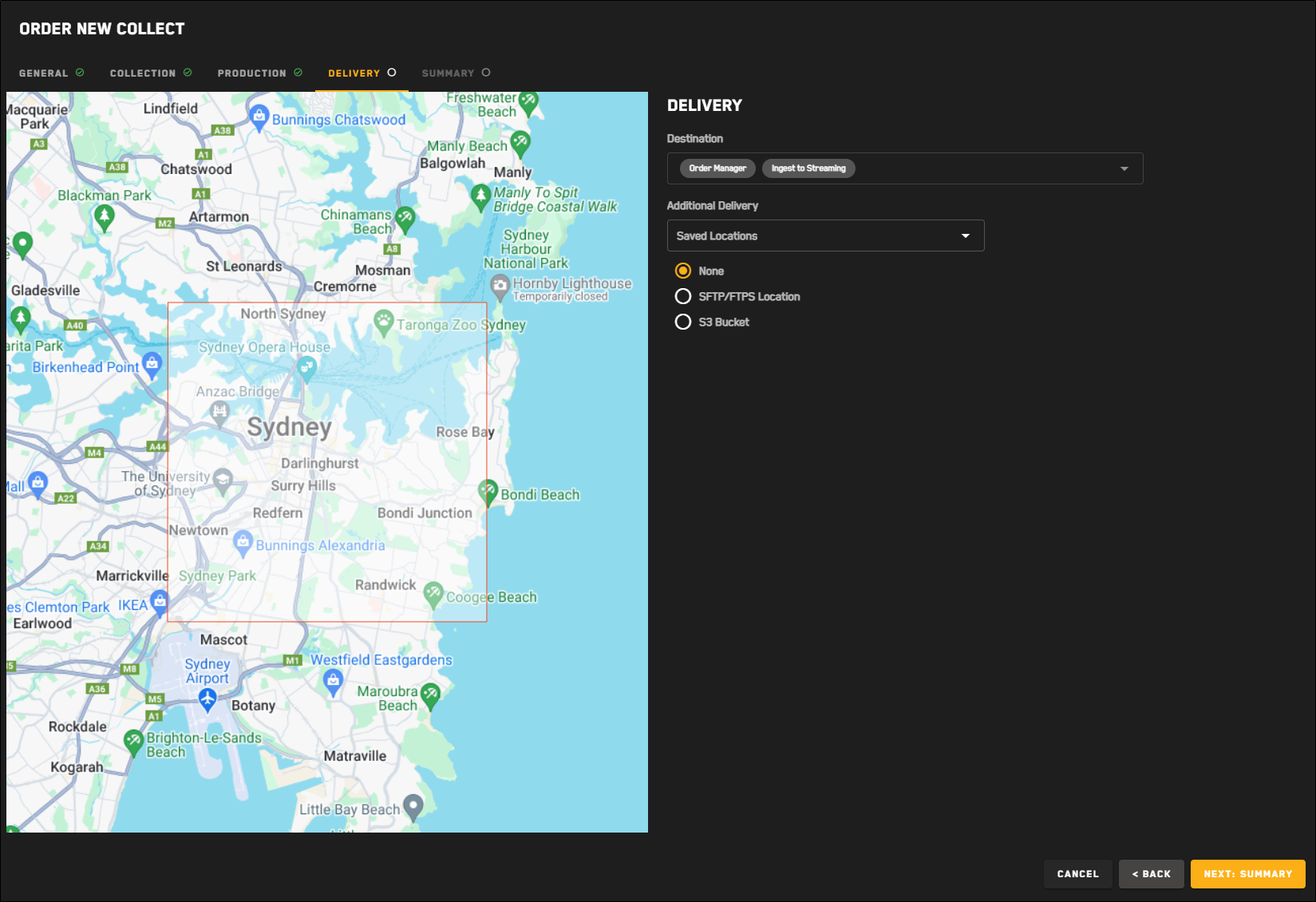
Delivery 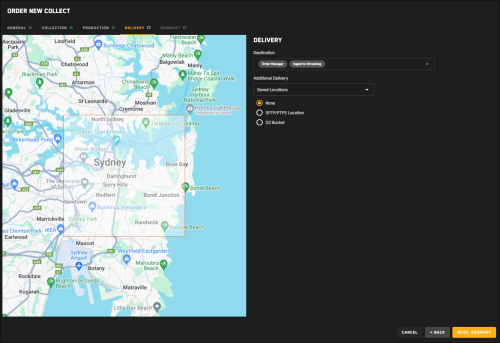
The Delivery step for EO tasking requests.
In the Destination section, review the delivery parameters. Delivery parameters are automatically selected based on the tasking format you selected and cannot be changed.
(Optional) In the Additional Delivery section, select an additional file transfer location for delivery of the tasked imagery.
Options None (Default)
STFP/FTPS Location
(Optional) If you want to use a previously saved location for the order, select it from the Saved Locations drop-down.
Select your protocol, then enter your credentials, host, port, and directory.
To verify the connection, select Test Connection.
A successful connection test is required to save the location and to
(Optional) To save the location to use again later, select Save as Location. The location is added to the Saved Locations drop-down.
S3 Bucket
(Optional) If you want to use a previously saved location for the order, select it from the Saved Locations drop-down.
Enter your S3 bucket, folder, region, access key, and secret access key.
To verify the connection, select Test Connection.
A successful connection test is required to save the location and to
(Optional) To save the location to use again later, select Save as Location. The location is added to the Saved Locations drop-down.
Select Next: Summary.
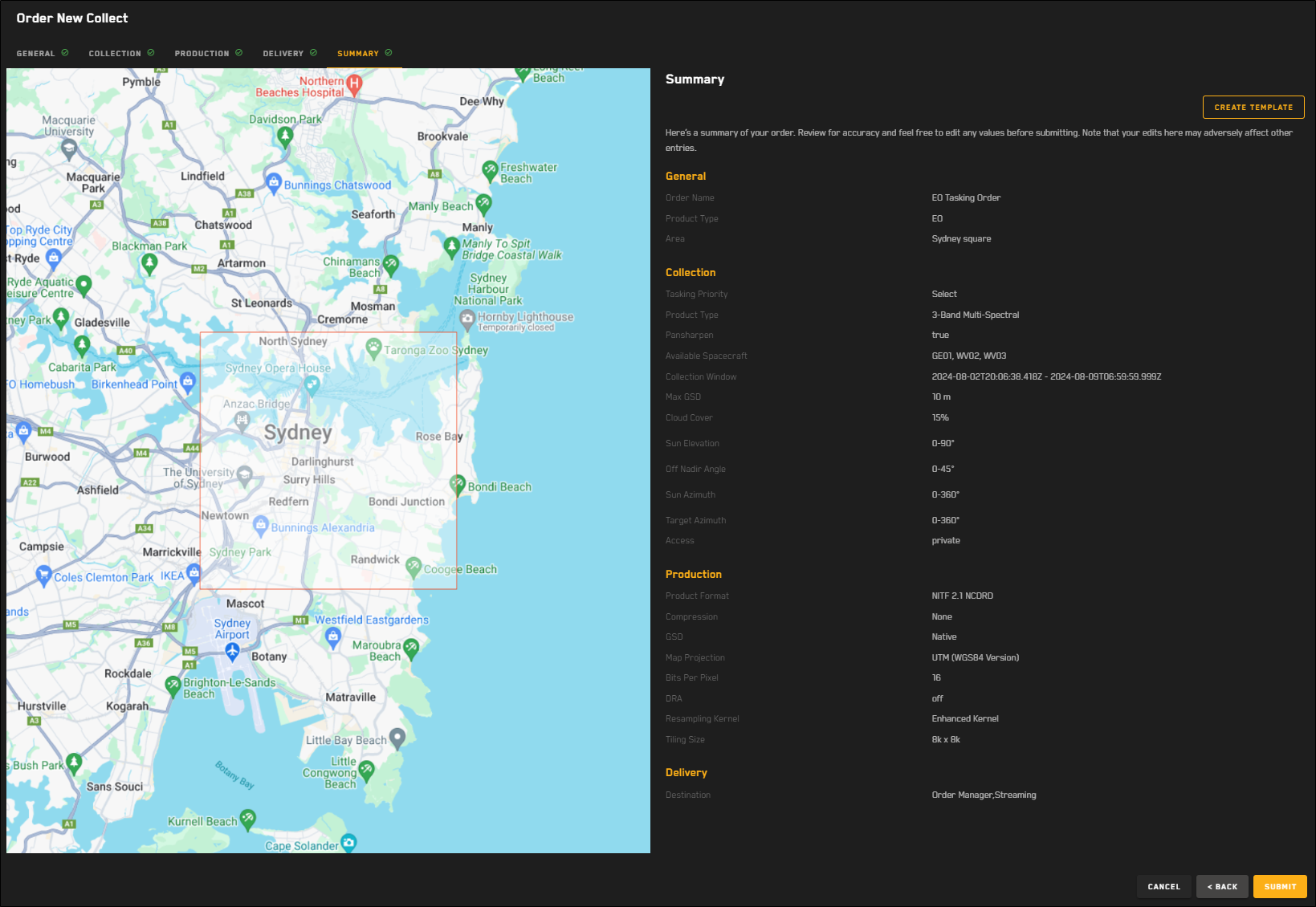
Summary 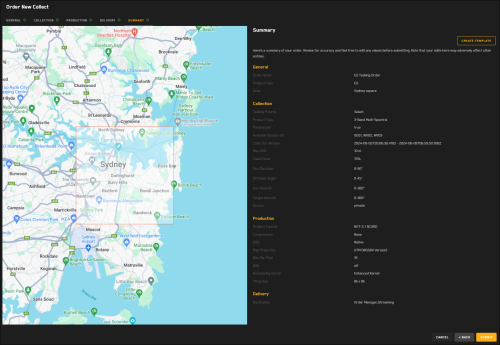
The Summary step for EO tasking requests.
A summary of your order displays the parameters you selected for your tasking request.
Do one of the following:
Place the Request Select Submit. A confirmation appears.
Make Changes Select Back.
Making changes may affect parameters on multiple pages of the tasking wizard. Be sure to check each page for any updates before you submit your request.
If you want to save your tasking request as a template to use later, select Create Template. See Using Tasking Templates.