Using Imagery Catalogs
In the Imagery panel, you can switch between imagery catalogs to view different imagery types.
Available Imagery Catalogs
The following imagery catalogs are available in Rapid Access.
Archive Imagery contains a mix of panchromatic (black/white) and color imagery (up to 18 multispectral bands), with global coverage up to 30 cm resolution.
Online Imagery is the most current imagery delivered by the Maxar constellation.
For more information, see Imagery Types.
Selecting an Imagery Catalog
Select Imagery. The Imagery panel opens.
From the Imagery Catalog drop-down, select the imagery catalog (e.g., online, archive) you want to view.
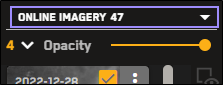
The Imagery panel refreshes to display imagery from the selected catalog.
The imagery catalog displays differently depending on the orientation of the Imagery panel.

Metadata Differences When Sorting and Filtering Archive and Online Imagery
Sortable and filterable metadata fields are different when you are viewing archive imagery than when you are viewing online imagery. Use the table below to determine whether or not a metadata field in Rapid Access is sortable or filterable when viewing different imagery catalogs.
 Online Imagery
| Online Imagery | |||
|---|---|---|---|
| Metadata | Available | Sortable | Filterable |
| Image ID |
| ||
| Acquisition Date |  | | |
| Age Days | | | |
| Acquisition Time UTC | | | |
| Image Ingest Date | | ||
| Cloud Cover | | | |
| Sensor | | | |
| Off Nadir Angle | | | |
| NIIRS | | | |
| Ground Sample Distance | | | |
| Sun Elevation | | | |
| Sun Azimuth | | | |
| Product Type | | | |
| Production Level | | ||
| Product Name | | ||
| Data Layer | | | |
| CRS | | ||
| Per Pixel X | | ||
| Per Pixel Y | | ||
| Archive Catalog ID | | ||
| Legacy Description | | ||
| Has Cloudless Geometry | | ||
| Is Private | | ||
| CE90 Accuracy | | ||
Online Imagery: SAR| Online Imagery: SAR | |||
|---|---|---|---|
| Metadata | Available | Sortable | Filterable |
| Image ID |
| ||
| Acquisition Date | | | |
| Age Days | | | |
| Acquisition Time UTC | | | |
| Image Ingest Date | | ||
| Cloud Cover | | | |
| Sensor | | | |
| Ground Range Resolution (IPR) | | | |
| Product Name | | ||
| CRS | | ||
| Per Pixel X | | ||
| Per Pixel Y | | ||
| Archive Catalog ID | | ||
| Is Private | | ||
| Grazing Angle | | | |
Archive Imagery| Archive Imagery | |||
|---|---|---|---|
| Metadata | Available | Sortable | Filterable |
| Image ID | | ||
| Geometry | | ||
| Acquisition Date | | | |
| Acquisition Time UTC | | | |
| Cloud Cover | | | |
| Sensor | | | |
| Off Nadir Angle | | | |
| Ground Sample Distance | | | |
| Sun Elevation | | | |
| Sun Azimuth | | | |
| Target Azimuth | | | |
| Target Elevation | | | |
| Product Type | | ||
| Archive Catalog ID | | ||
| Satellite Azimuth | | ||
Archive State |
|
|
|
More About Imagery Catalogs
Archive imagery displays in reduced resolution.
If you switch from the online imagery catalog to the archive imagery catalog while filters are applied, your current filter settings are preserved.
If a filter setting exists in the online imagery catalog, but does not exist in the archive imagery catalog (e.g., NIIRS), the online dataset remembers that filter when you switch back to the online imagery catalog.
See Filtering Imagery.
The archive imagery library dates back to 1999. When you view an area, there may be thousands of images available in that area. To provide the best user experience, the archive image service only requests a few pages of imagery results at any time. However, the total number of results may be unclear (e.g, "200+"), because there are more results available than can be displayed.
To view more results:
Use the pagination options to increase the number of imagery results on each page, therefore increasing the number of total results available.
Use filters to narrow down the imagery results to locate imagery within a certain acquisition date, with a specific cloud cover, etc. See Filtering Imagery.